

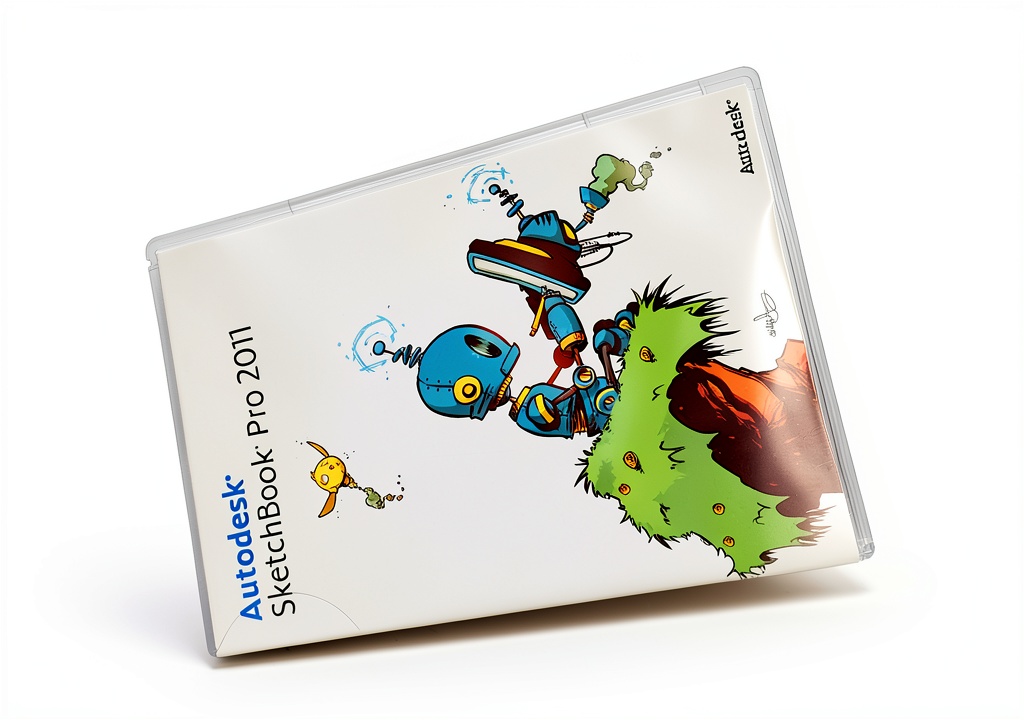

Description
Product Overview
Autodesk SketchBook Pro is a flagship offering from Autodesk PSG, delivering a full‑featured digital illustration platform that balances professional power with ease of use. Built on a robust engine, the software supports a wide range of artistic workflows, from quick concept sketches to detailed, layered compositions. Its core architecture is optimized for low latency, ensuring that every stroke feels natural and immediate, a critical factor for artists who demand precision and speed.
The user interface is deliberately streamlined, featuring a clean canvas view, customizable toolbars, and context‑aware panels that appear only when needed. This design philosophy reduces visual clutter and allows creators to focus on their work rather than navigating complex menus. The program launches in seconds, and the learning curve is shallow enough that new users can become productive within minutes, while seasoned professionals appreciate the depth of customization available.
SketchBook Pro supports both English and French languages, making it accessible to a broader international audience. It handles all major raster image formats, including TIF, BMP, JPG, PNG, and PSD, allowing seamless import and export with other creative applications. The software also includes built‑in version control, enabling artists to revert to earlier states without losing progress, a feature that enhances creative confidence.
System requirements are modest, with a lightweight footprint that runs comfortably on most modern Windows and macOS machines. The application occupies just 2.4 ounces of storage and fits within a compact 7.5 × 5.3 × 0.6‑inch package when distributed on physical media, though most users download it directly from Autodesk’s online store. Regular updates ensure compatibility with the latest operating system releases and introduce incremental feature enhancements.
![[Product front view showing all components]](https://www.raregoods.store/wp-content/uploads/2026/06/ce30112551a54561984c27b0b6cfdc92.jpg)
Usage
Artists working in studio environments, freelancers collaborating with clients, and hobbyists exploring new techniques all find value in SketchBook Pro. The software excels in rapid ideation sessions, where the responsive brush engine captures fleeting concepts with fidelity. Its ability to switch between vector‑like strokes and raster textures makes it suitable for storyboarding, character design, and even UI mock‑ups.
Educators incorporate SketchBook Pro into digital art curricula, leveraging its multilingual interface to teach students in both English‑ and French‑speaking classrooms. The program’s lightweight nature means it can be installed on classroom computers without taxing system resources, while the built‑in sharing tools let students email their work directly to instructors for feedback.
Professional illustrators often pair SketchBook Pro with high‑resolution displays and pressure‑sensitive stylus pens. The ultra‑responsive brushes respond to tilt, pressure, and speed, delivering nuanced line weight variations that mimic traditional media. Export options to PSD preserve layer information, enabling seamless hand‑off to Photoshop for final polishing.
Why Choose Us
Choosing Autodesk SketchBook Pro means aligning with a brand that has a legacy of innovation in design software. Autodesk’s commitment to continuous improvement is reflected in the program’s regular feature updates, robust customer support, and extensive online knowledge base. Users benefit from a community of millions who share tips, tutorials, and resources, fostering a collaborative learning environment.
Quality assurance is baked into every release. Each build undergoes rigorous testing for stability, performance, and compatibility across a wide range of hardware configurations. The software’s architecture is built to scale, ensuring that as artists create larger canvases or more complex layer structures, the experience remains smooth and reliable.
Beyond the core product, Autodesk offers comprehensive after‑sales services, including dedicated technical support, optional training webinars, and a satisfaction guarantee. This ecosystem of support reduces downtime and empowers creators to focus on their artistic goals rather than troubleshooting technical issues.
Key Features
- Ultra‑responsive brush engine that reacts to pressure, tilt, and speed for natural, expressive strokes.
- Intuitive, customizable interface that lets users set up their workspace in minutes and stay focused on creation.
- Full support for English and French languages, expanding accessibility for international creators.
- Compatibility with major raster formats (TIF, BMP, JPG, PNG, PSD) for easy import and export across workflows.
- Dedicated Autodesk support team and regular software updates to ensure reliability and ongoing feature enhancements.
FAQ
Is Autodesk SketchBook Pro suitable for beginners?
Yes. The software is designed with a gentle learning curve, offering tooltips, starter tutorials, and a clean canvas view that helps new users focus on drawing without being overwhelmed by complex menus. Beginners can quickly create basic sketches and gradually explore advanced features as they become more comfortable.
Can I use SketchBook Pro on a tablet with a stylus?
Absolutely. SketchBook Pro is fully optimized for pen‑enabled devices, including tablets that support pressure‑sensitive stylus input. The brush engine interprets tilt and pressure data to deliver realistic line variation, making the tablet experience feel as natural as drawing on paper.
What file formats can I export my artwork to?
SketchBook Pro supports export to several popular raster formats, including JPG, PNG, BMP, and TIF. For layered workflows, you can also export directly to PSD, preserving all layers, masks, and adjustment settings for further editing in Photoshop or other compatible applications.
How does Autodesk handle updates and customer support?
Autodesk releases regular updates that introduce new tools, improve performance, and address any identified bugs. Customers have access to a dedicated support portal, live chat assistance, and an extensive library of documentation and video tutorials. Subscription holders also receive priority support and early access to upcoming features.
In summary, Autodesk SketchBook Pro combines professional‑grade capabilities with an approachable interface, making it a versatile choice for artists at any skill level. Whether you are sketching concepts, creating detailed illustrations, or teaching digital art, the software provides the tools, performance, and support needed to bring ideas to life.




Reviews
There are no reviews yet.